SimplyDo enables administrators to set-up a one-way automatic synchronisation from a connected Microsoft Entra ID directory. This feature allows for the automatic provisioning and updating of user accounts based on a source directory, and is useful for pre-creating user accounts in the platform before the user has directly engaged with SimplyDo. For example, this could be for associating users into groups ahead of time, or for including them in announcements.
Turning on the sync feature
Important: Before continuing, please ensure that your Microsoft account has the required Directory.Read.All permission on the source Entra ID tenant. The connection to SimplyDo will be made on behalf of the connecting user. On SimplyDo, your account will need the relevant permissions to change settings on the organisation account.
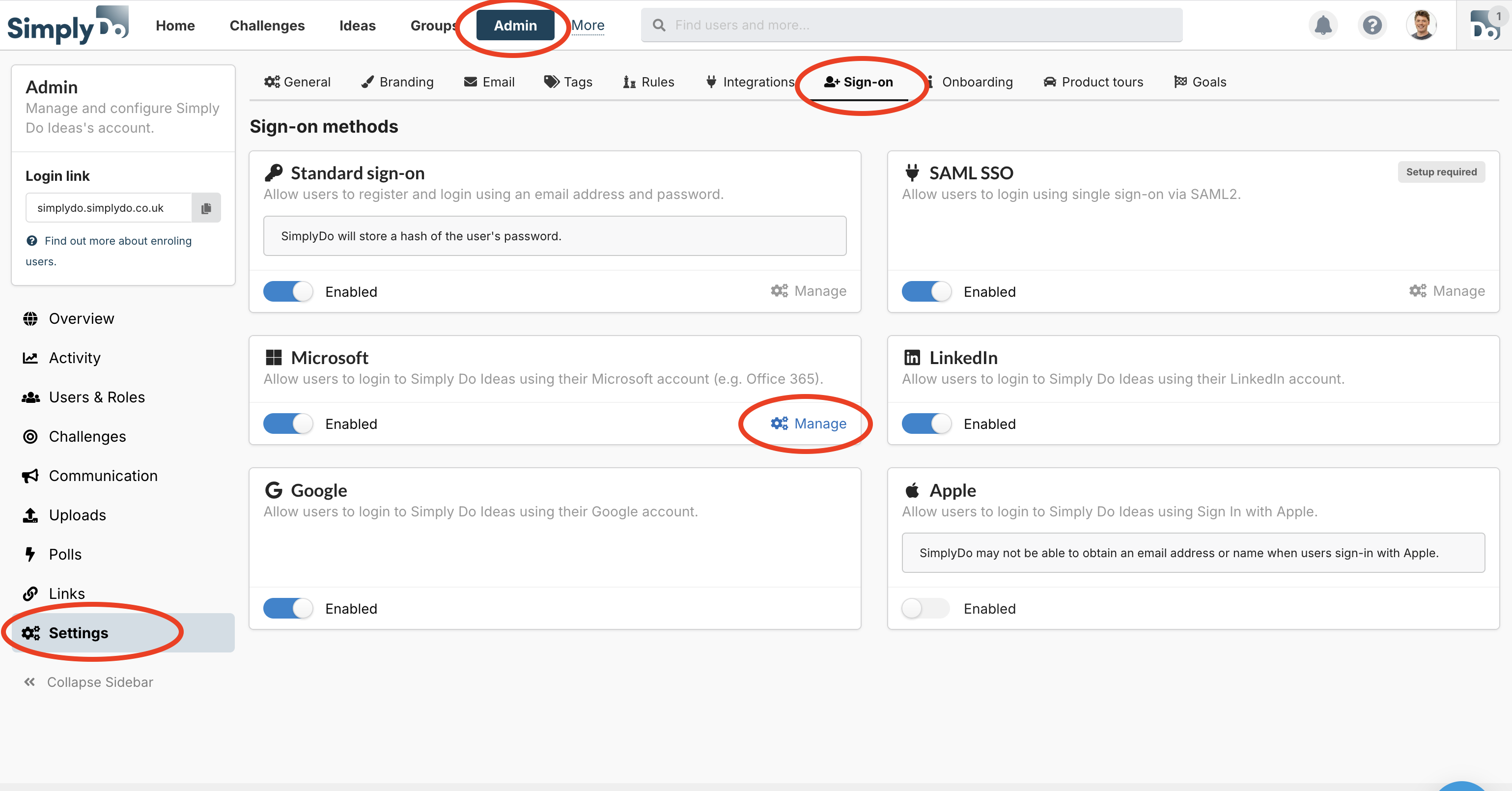
The settings to manage this feature can be found by navigating to Admin -> Settings -> Sign-on -> Manage ("Microsoft"), as shown in the image below.
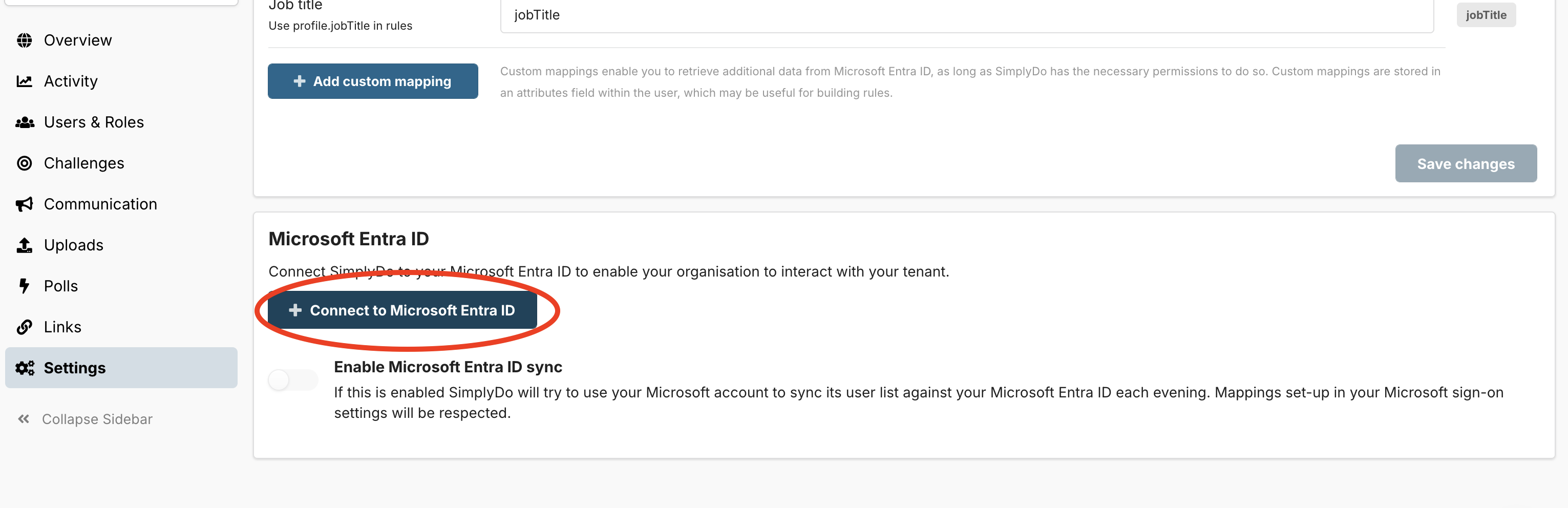
Near the bottom of this page, click the "Connect to Microsoft Entra ID" button, and go through the steps to authenticate using your Microsoft account.
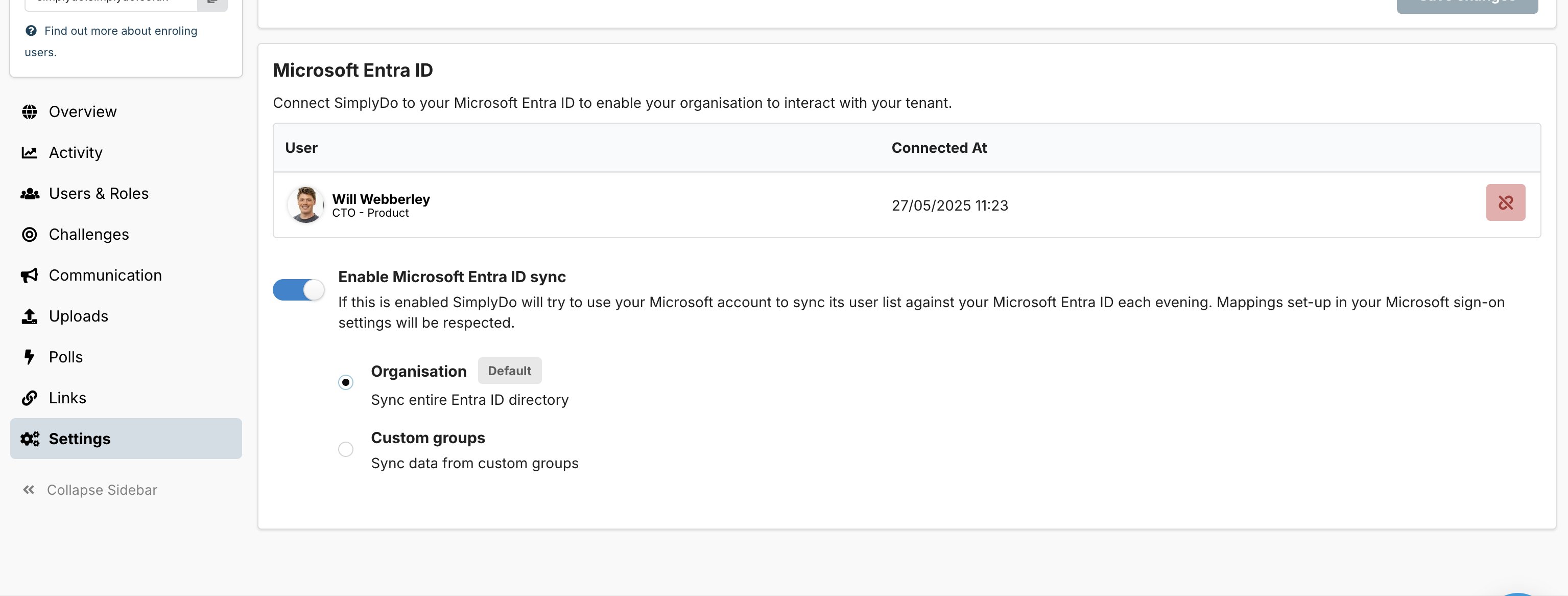
Once back on SimplyDo, slide the toggle to enable the sync, and then select whether you'd like to sync the entire directory, or a group within your directory.
Notes
Once enabled, the automated sync will take place each evening. Any new accounts encountered during the sync will be created in SimplyDo, and any accounts with updates (e.g. a new name or email address) will be automatically updated.
SimplyDo will not automatically remove accounts. However, stale SimplyDo accounts can be automatically deleted according to rules you set in the Administration settings.
Attribute mappings configured will be respected during the sync process.