This article is designed for administrators or users wanting to install and setup the SimplyDo app for Microsoft Teams. It assumes that the Teams user belongs to an Entra ID tenant that is already registered with SimplyDo (e.g. for powering single sign-on).
Prerequisite: Get a SimplyDo organisational account
If you do not yet have a SimplyDo organisational account, or if you aren't yet using Microsoft Entra ID single sign-on for your existing organisational account, please reach out to support@simplydo.co.uk for more information and set-up help.
Step 1. Install the SimplyDo app
For information, the App ID for the SimplyDo app for Teams is: dbf692fe-35c1-4511-9178-9131e6511712
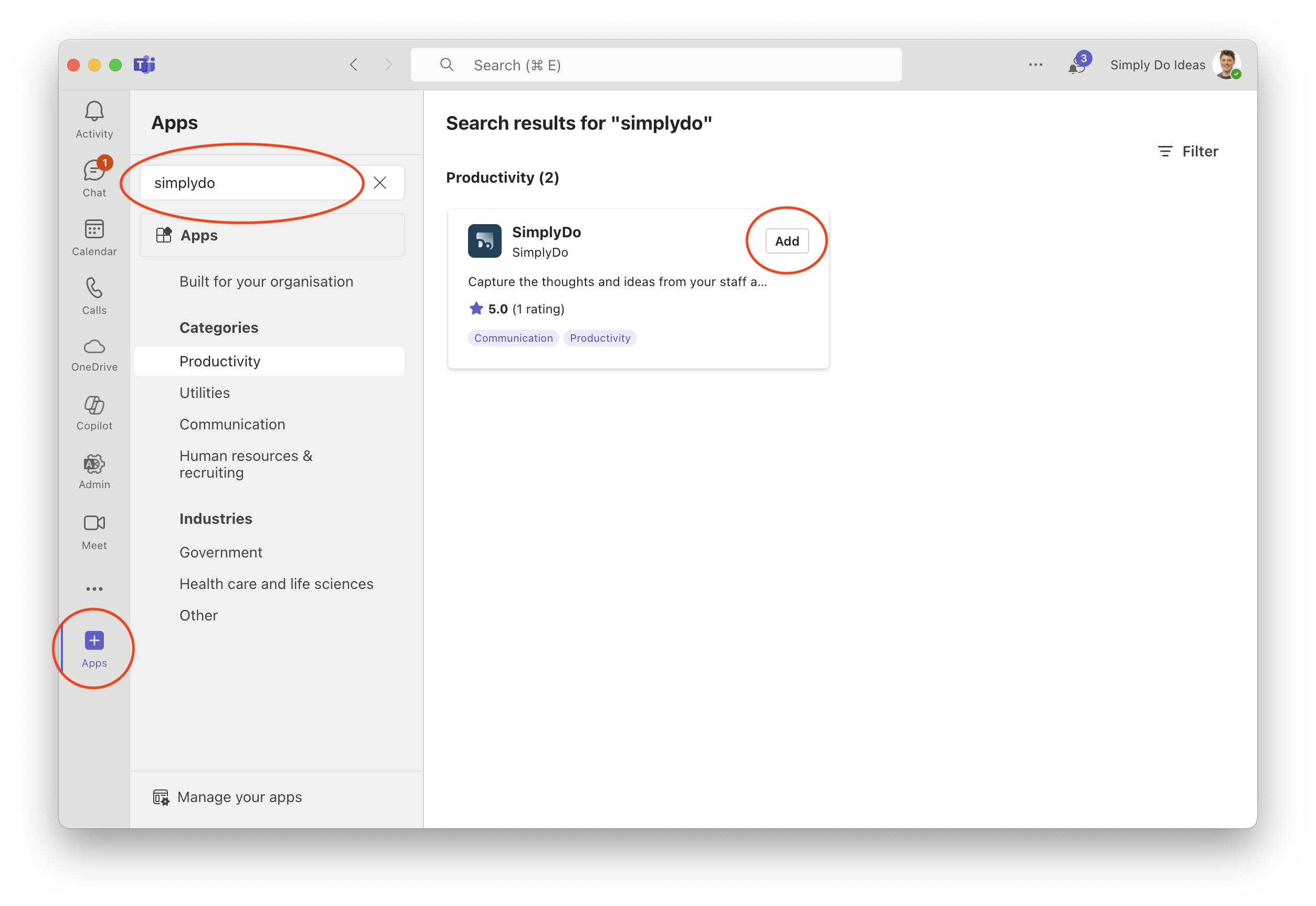
In Microsoft Teams, find the option to "add an app". This might be achieved using the "+ Apps" button in the sidebar (as shown in the image below), or via the "Get more apps" button in the "Manage your apps" screen.
Use the search facility to find "SimplyDo" and tap the "Add" button.
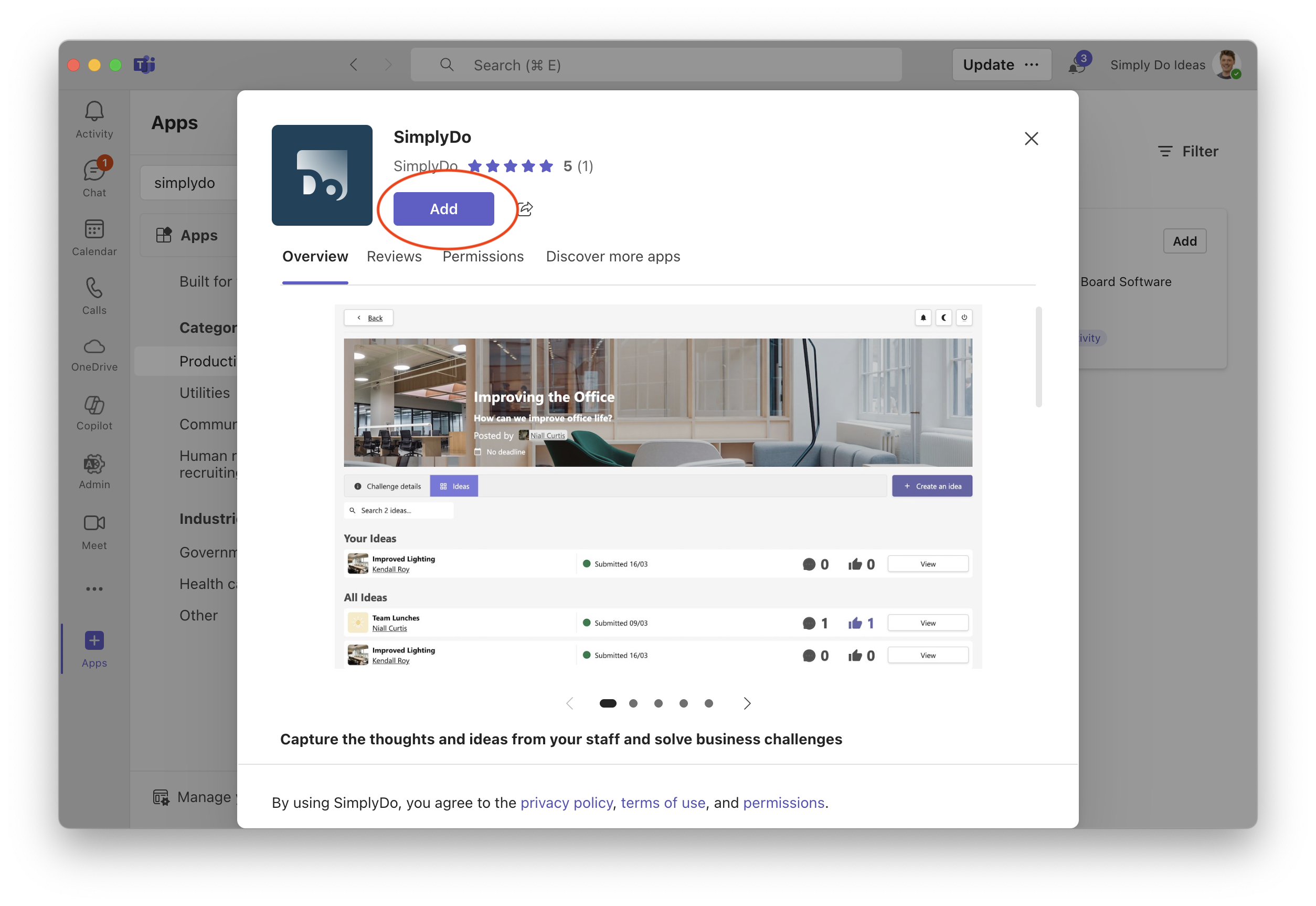
On the following screen, review the app details and tap "Add" when you're ready to proceed. The app will now be installed.
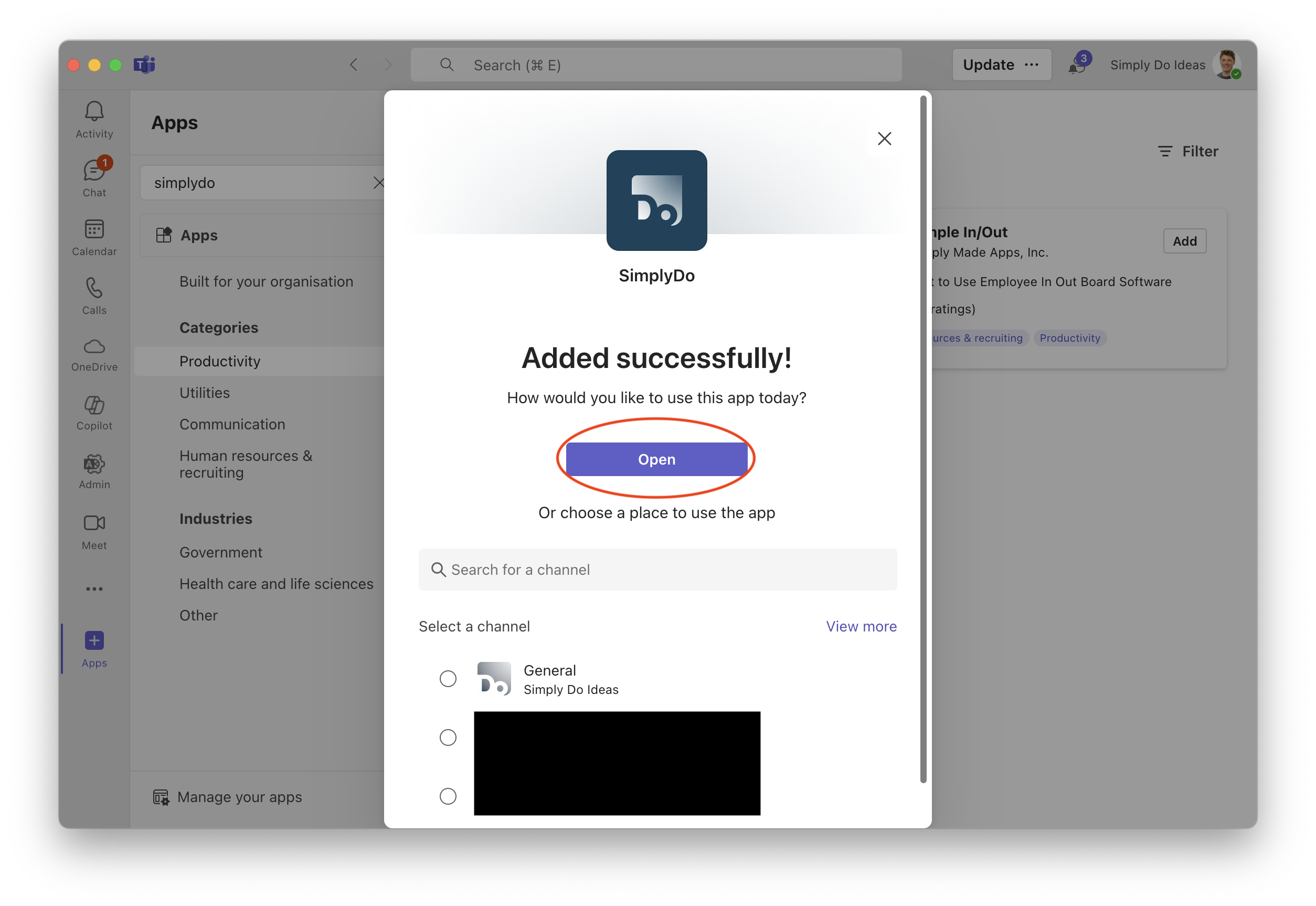
 Once installed, you'll be prompted to choose an installation location. You can choose to just open the app, or add to one of your channels. For now, we recommend just opening it.
 Step 2: Access the SimplyDo app for Teams
Once installed, you can find the SimplyDo app from the sidebar, as shown in the image below. Just tap the app to open it. You can also choose to "Pin" it so that it stays visible in your sidebar.
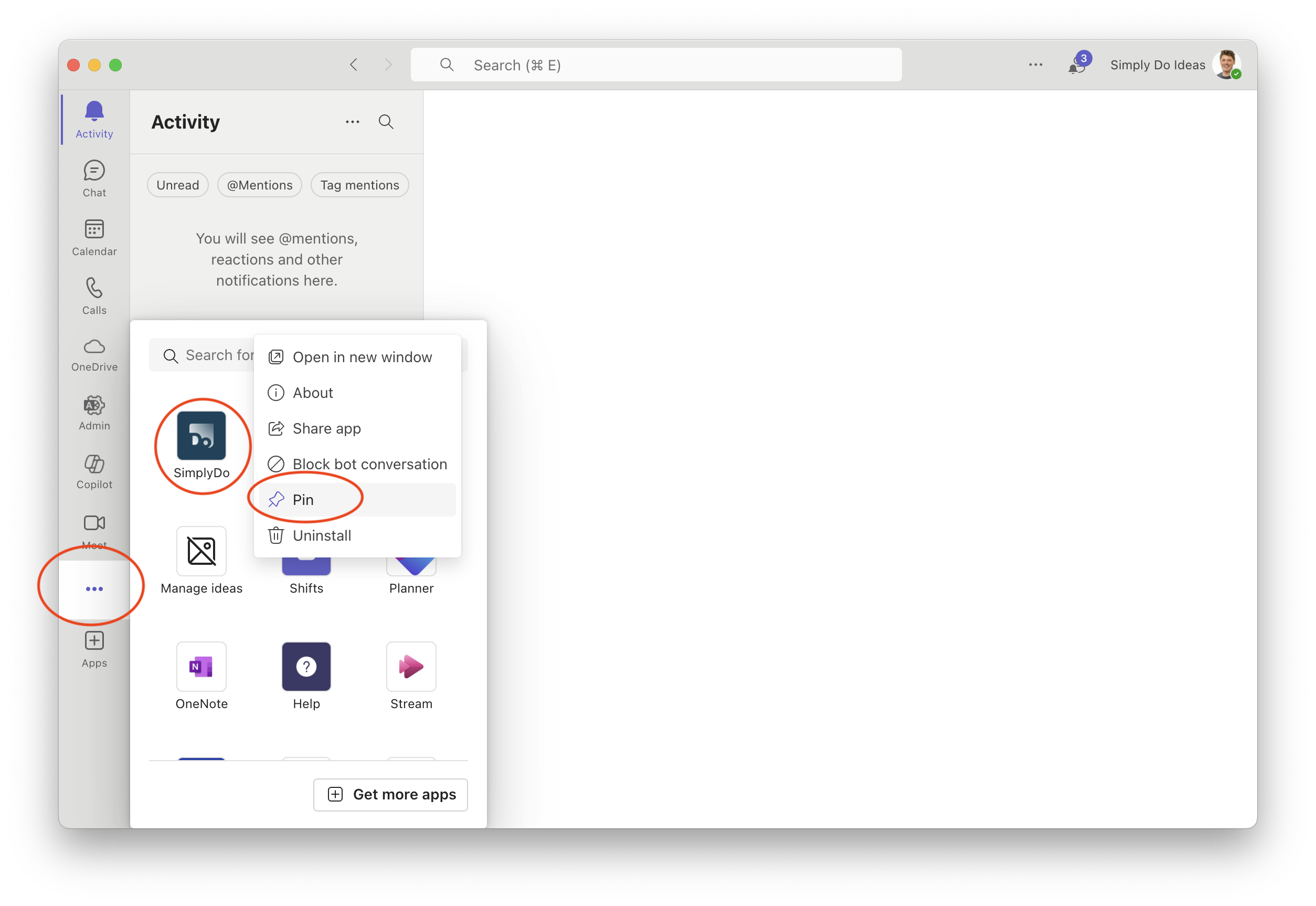 Once open, navigate to the "SimplyDo" tab to begin using the app. The "Activity" tab will send you useful notifications and updates. For help with getting started on the app, please just reach out to your account manager.
Optional: Administer the SimplyDo app for Teams
If you are a Teams administrator for your organisation, you can manage the SimplyDo app by visiting the Teams administration dashboard. On this page you can:
-
Manage the installation of the app.
-
Choose which users or groups can access or install the app.
-
View security and compliance information.
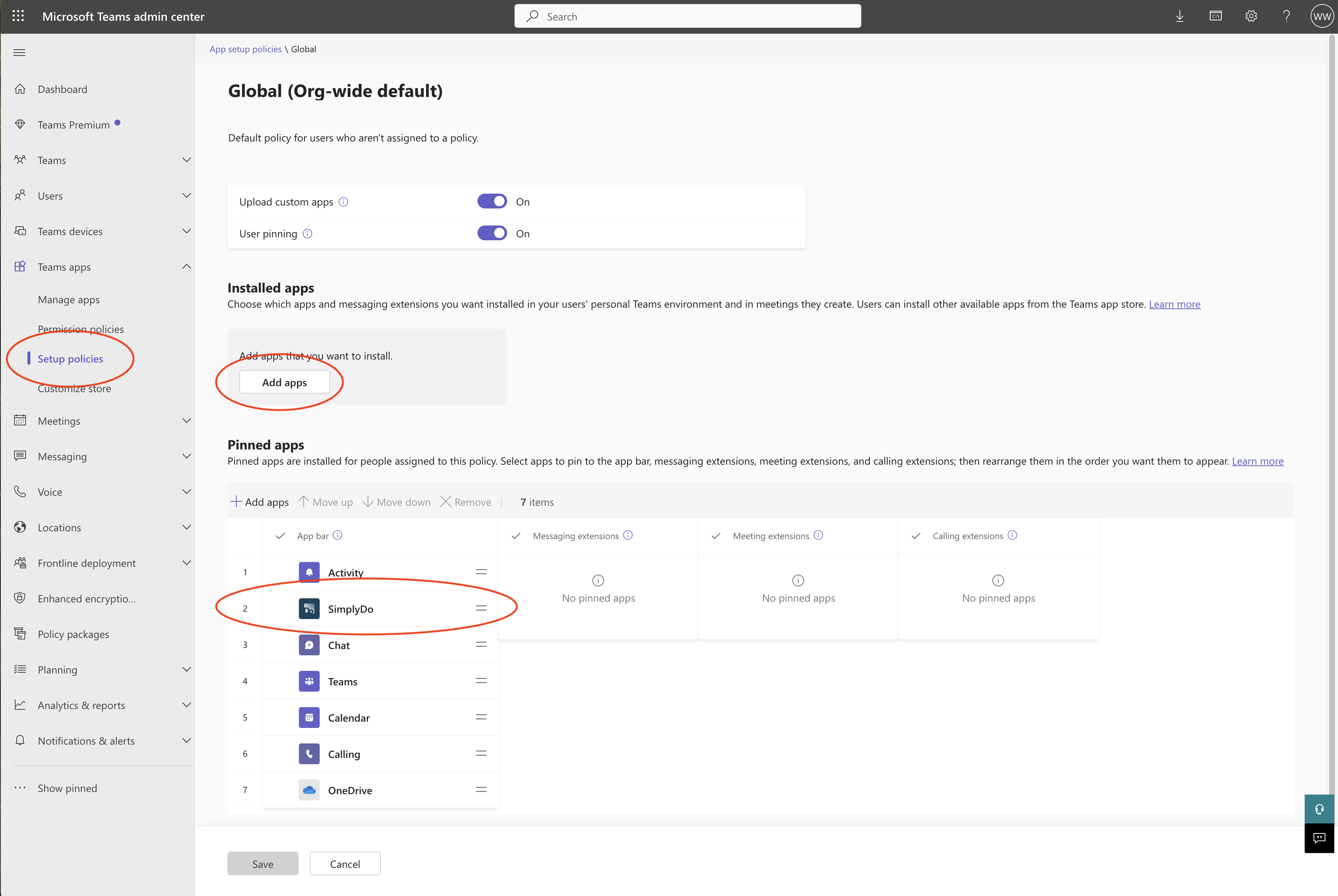
You can also manage policies on the Setup policies dashboard, which enables you to:
-
Pre-install the SimplyDo app for your users.
-
Automatically pin the SimplyDo app for your users.
-
Control where the SimplyDo app shows in the App Bar.