Once your challenge is underway, it is often helpful to understand how it’s performing. This might be to review how effective your engagement plans and activities are, keep track of the number of visits and ideas being created, and to use the information to plan future work and engagement.
In this article, we explain how to find, report, and analyse engagement activity for your challenge through SimplyDo.
1. Find the Challenge Activity Page
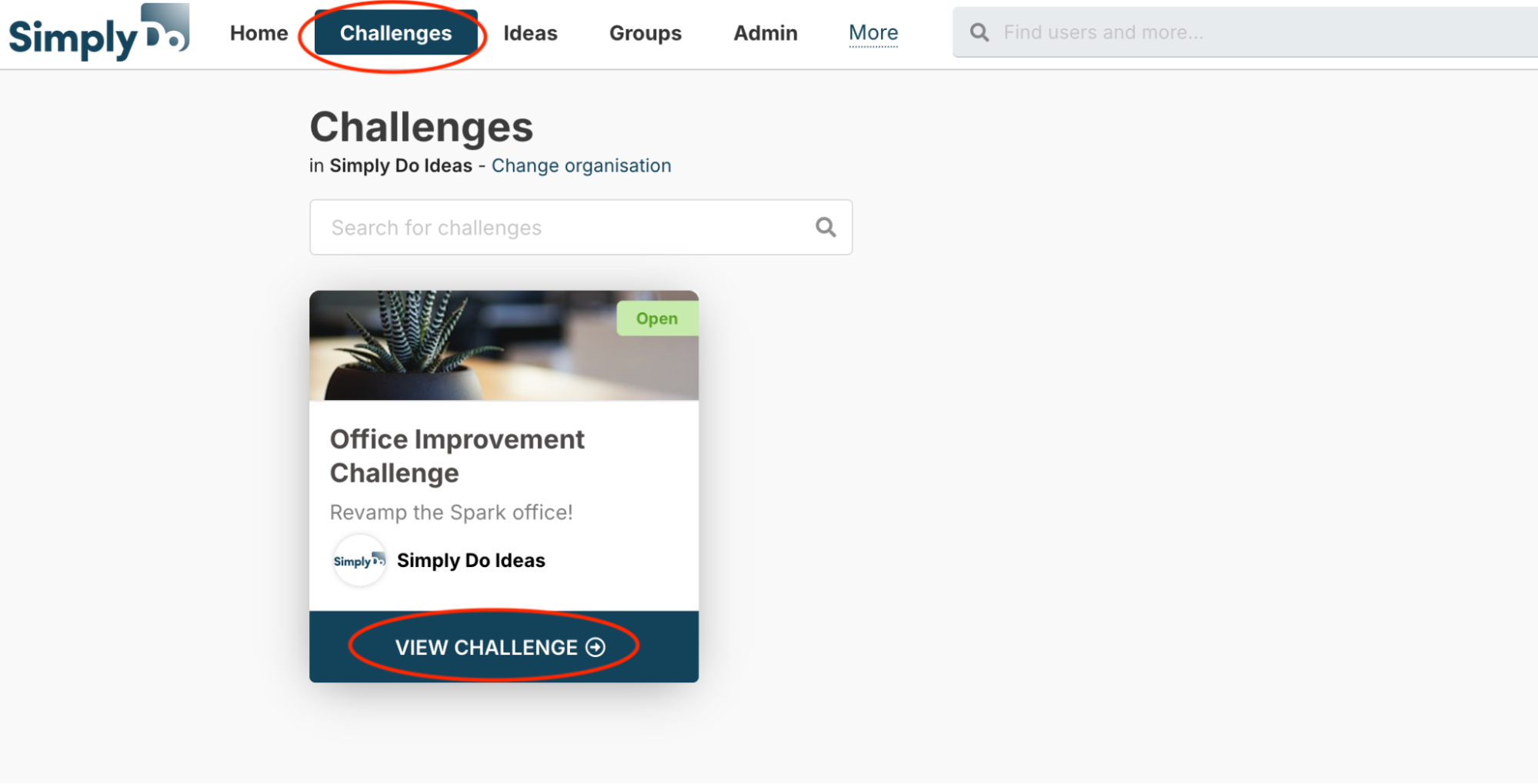
Find your challenge via the “Challenges” link in the top navbar, and then select “View challenge”.
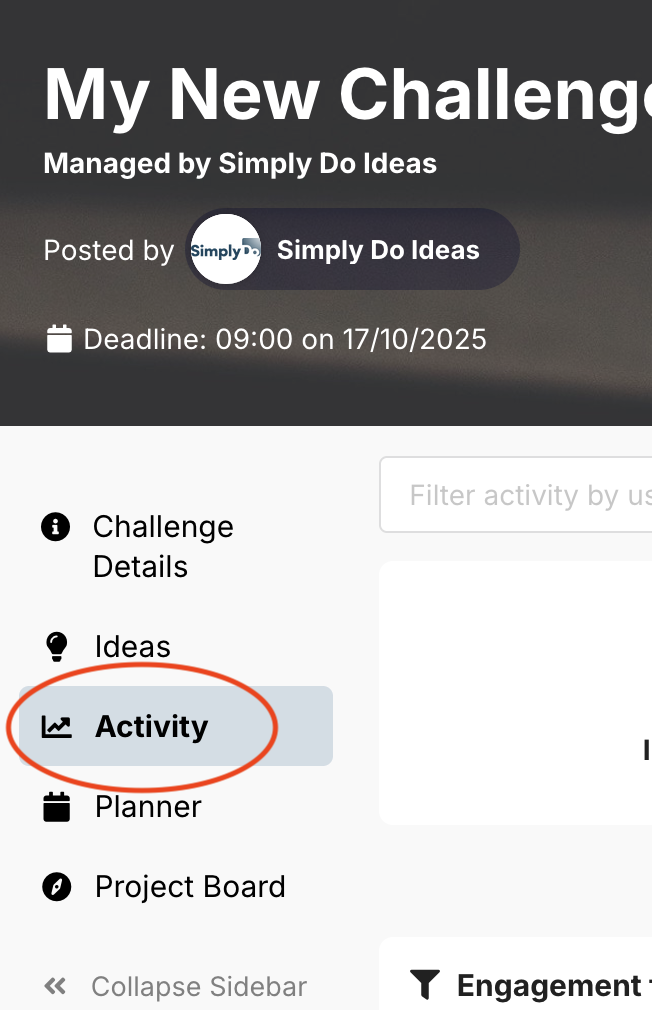
From here, tap the “Activity” tab in the challenge sidebar.
2. Understand the Activity Page
The challenge activity page is broken down into key areas.
Statistics and feeds
The top-most area displays key statistics about your challenge, and feeds showing recent activity for likes (votes), comments, and newly created and submitted ideas.
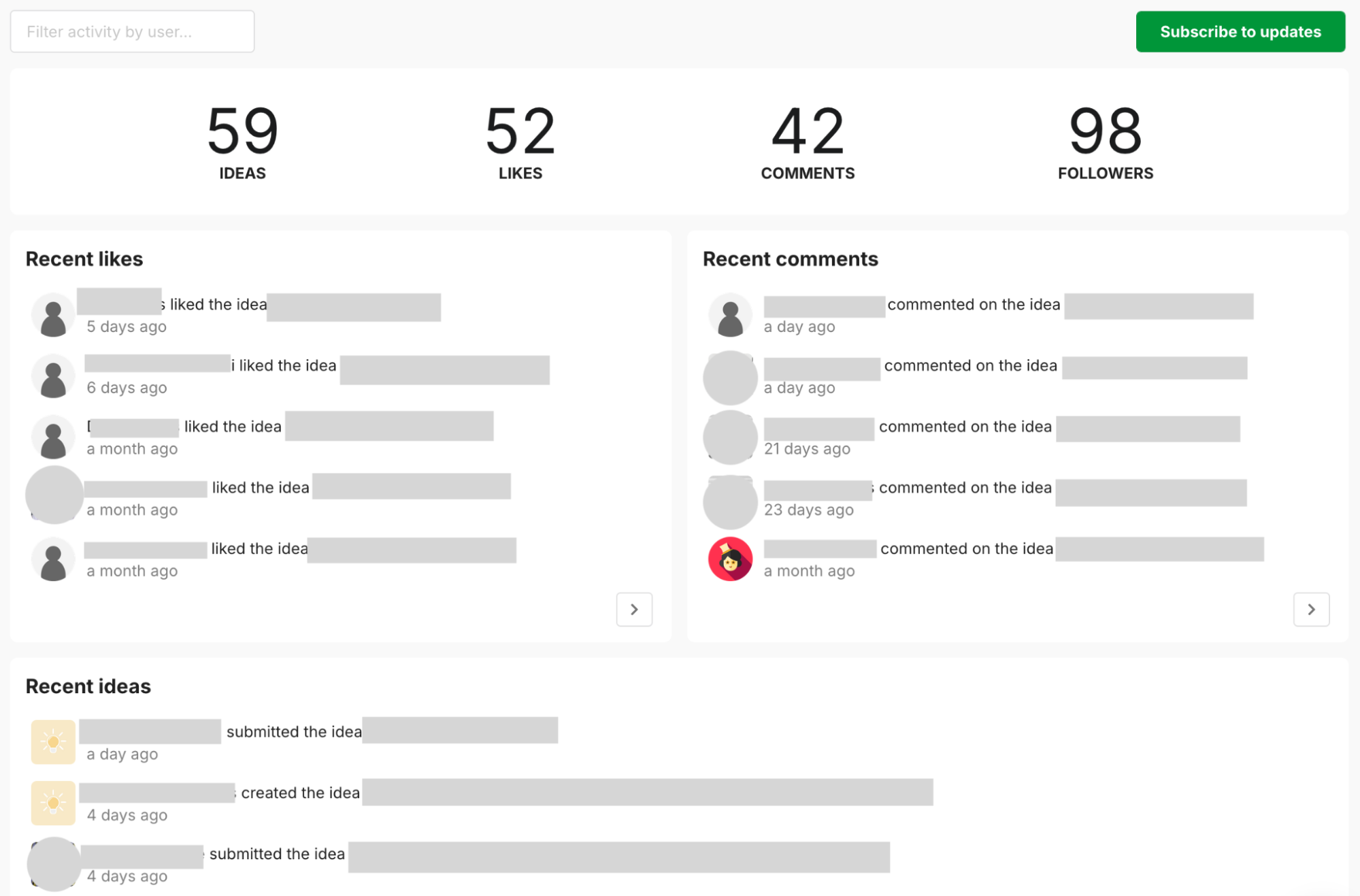
These feeds are useful to review periodically to help ensure you’re keeping up with and on top of your challenge engagement.
Engagement intensity
Below the feeds, SimplyDo provides information related to the engagement intensity – over time, and as a whole.
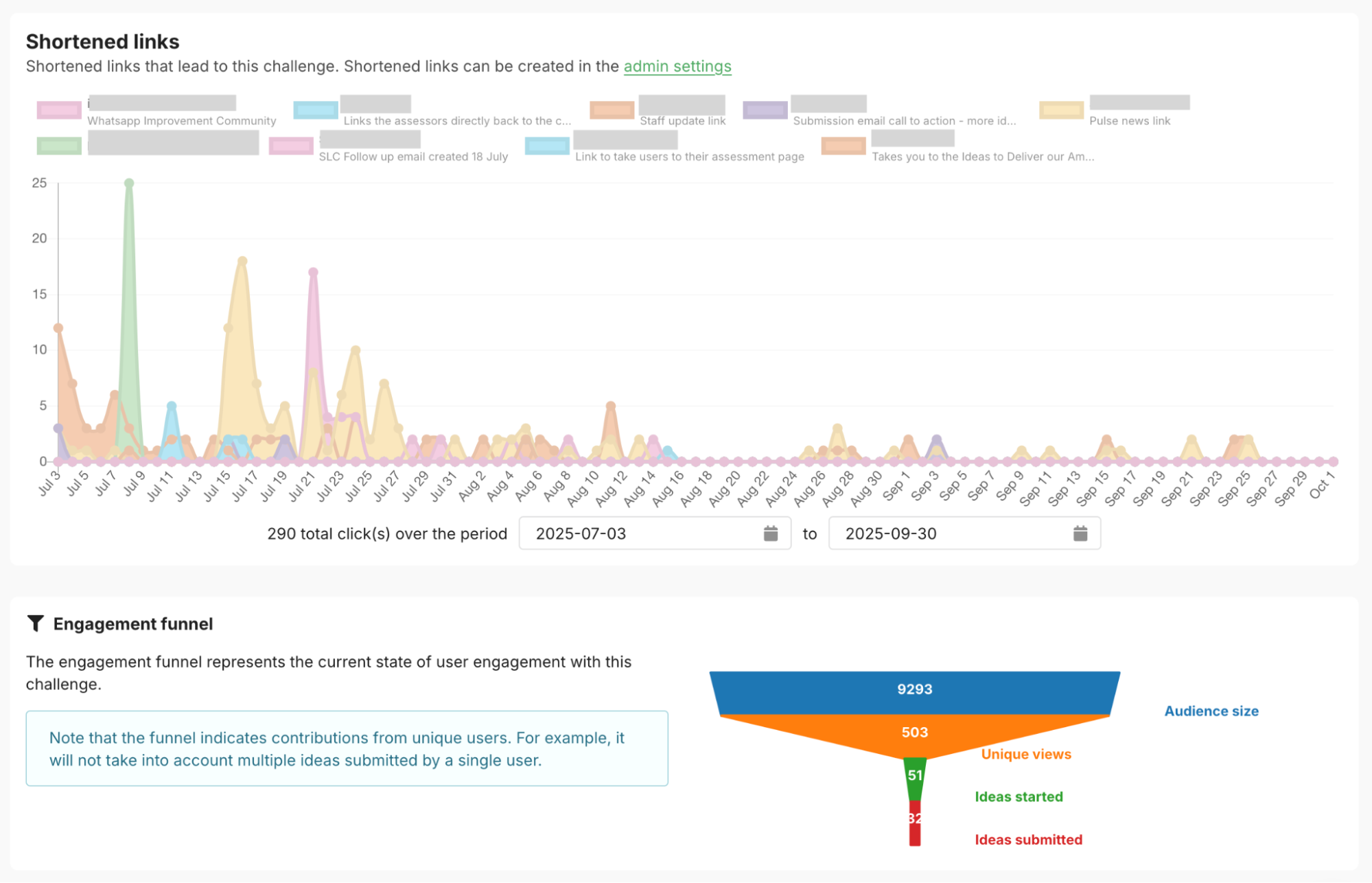
The Shortened links chart shows the number of short clicks received over time, comparing the shortened links that point to your challenge. You can find out more about setting-up and managing short links on our dedicated article.
The Engagement funnel provides insights into user interaction with your challenge at key parts of the challenge journey:
-
The top of the funnel represents the number of registered users in the audience for your challenge.
-
The next segment (in orange in the image above) shows the number of unique visitors to your challenge.
-
The next segment (in green in the image above) shows the number of people that have created ideas.
-
The bottom of the funnel shows the number of people that have submitted ideas to your challenge.
In most cases, you’ll see drop offs between each stage of the process. The gradient of the drop off may help guide your future comms or tweaks to your engagement plan, in order to achieve the level of engagement you hope for.
Recent volume
The Challenge views, Idea activity and Voting activity charts show engagement volume over the past week (including in cumulative).
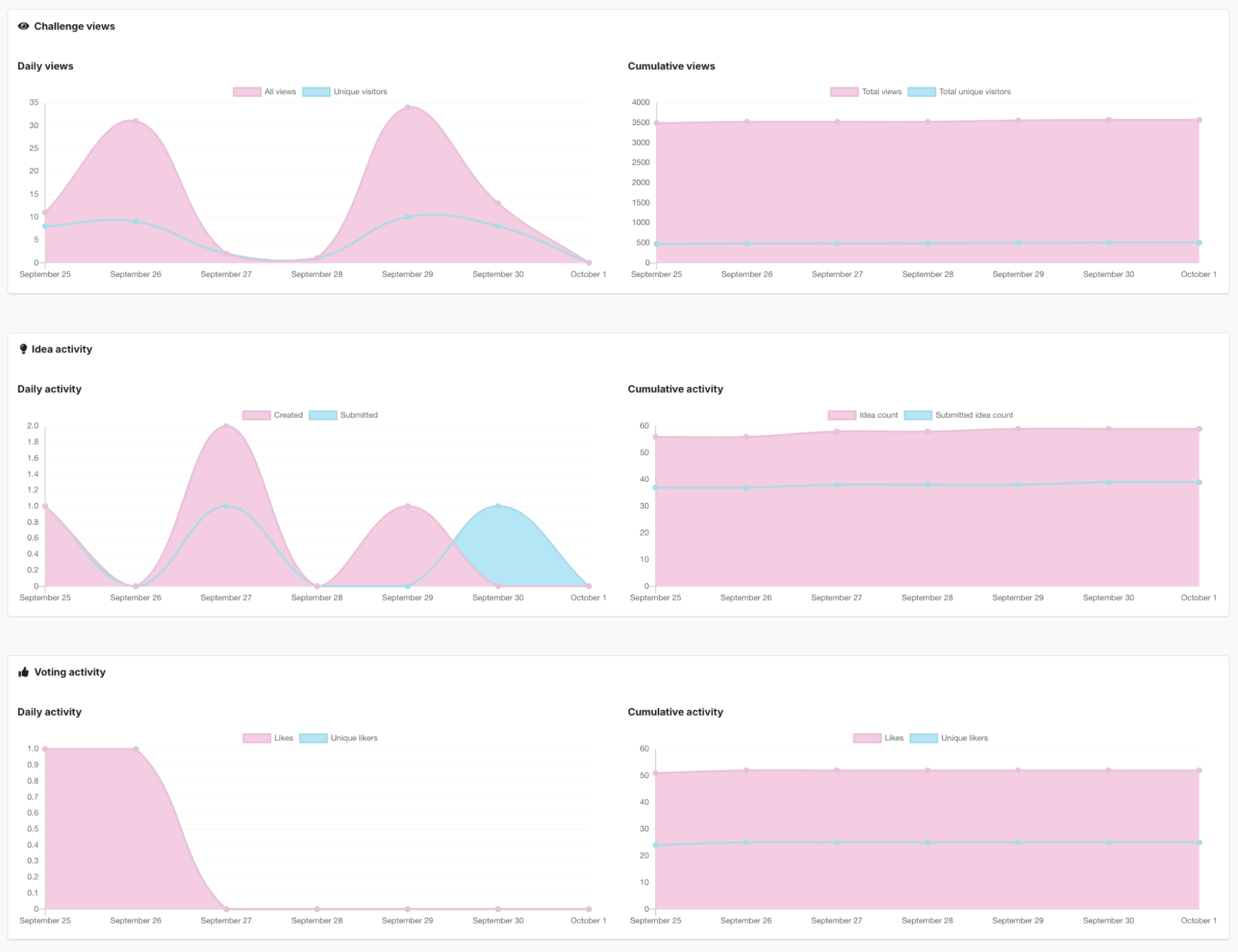
Challenge views shows the unique and total views for your challenge over the past week. The total views will typically be higher than the unique views as people often come back to view the challenge multiple times.
Idea activity shows the number of ideas created and submitted each day over the past week.
Voting activity shows the number of likes given out over the past week.
3. Generate and Download Reports
The bottom-most part of your challenge’s Activity tab provides facilities for generating downloadable reports.
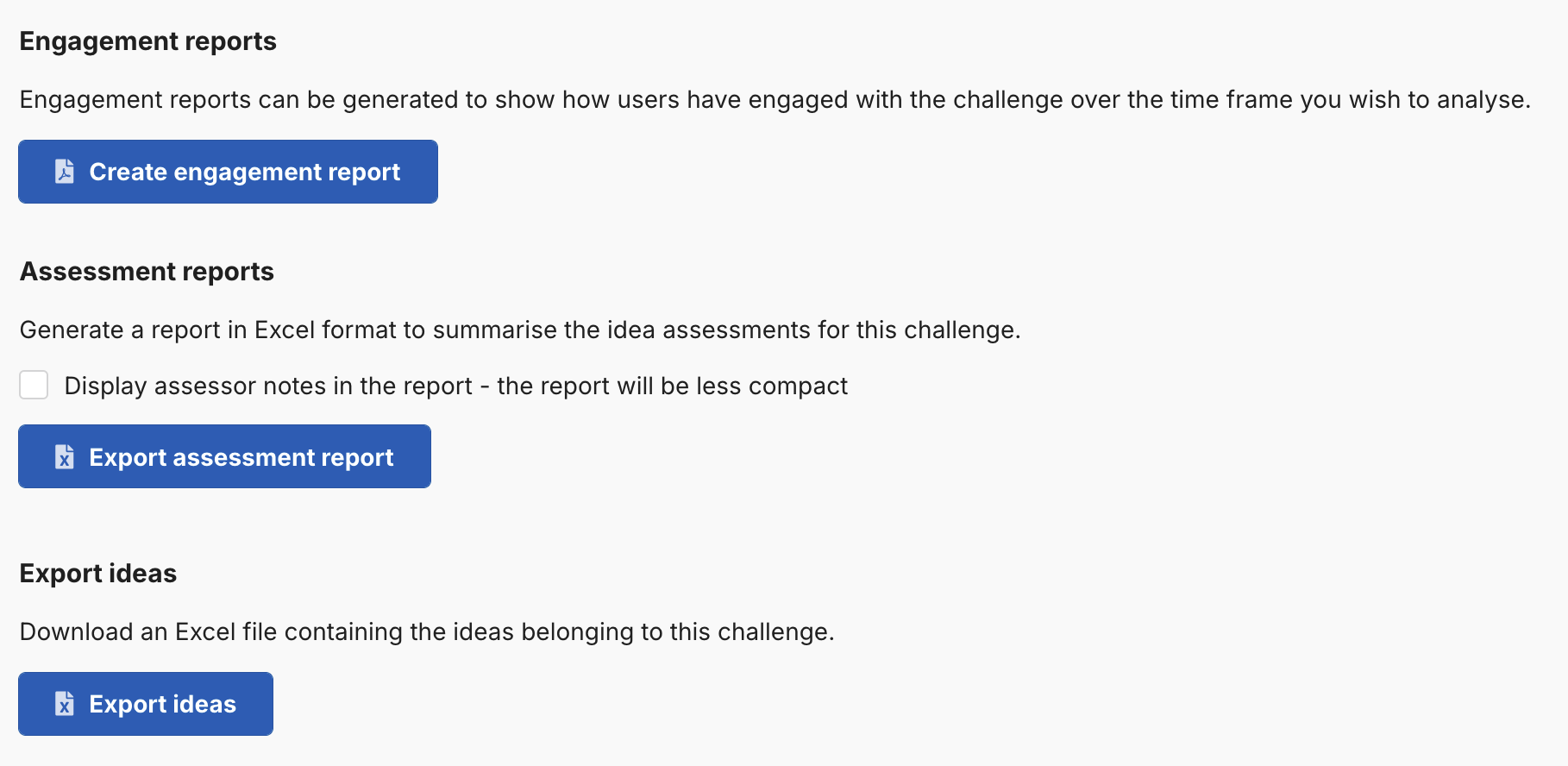
Engagement reports
To download a PDF file detailing engagement for your challenge, tap the Create engagement report button. This will open a window inviting you to customise your report.
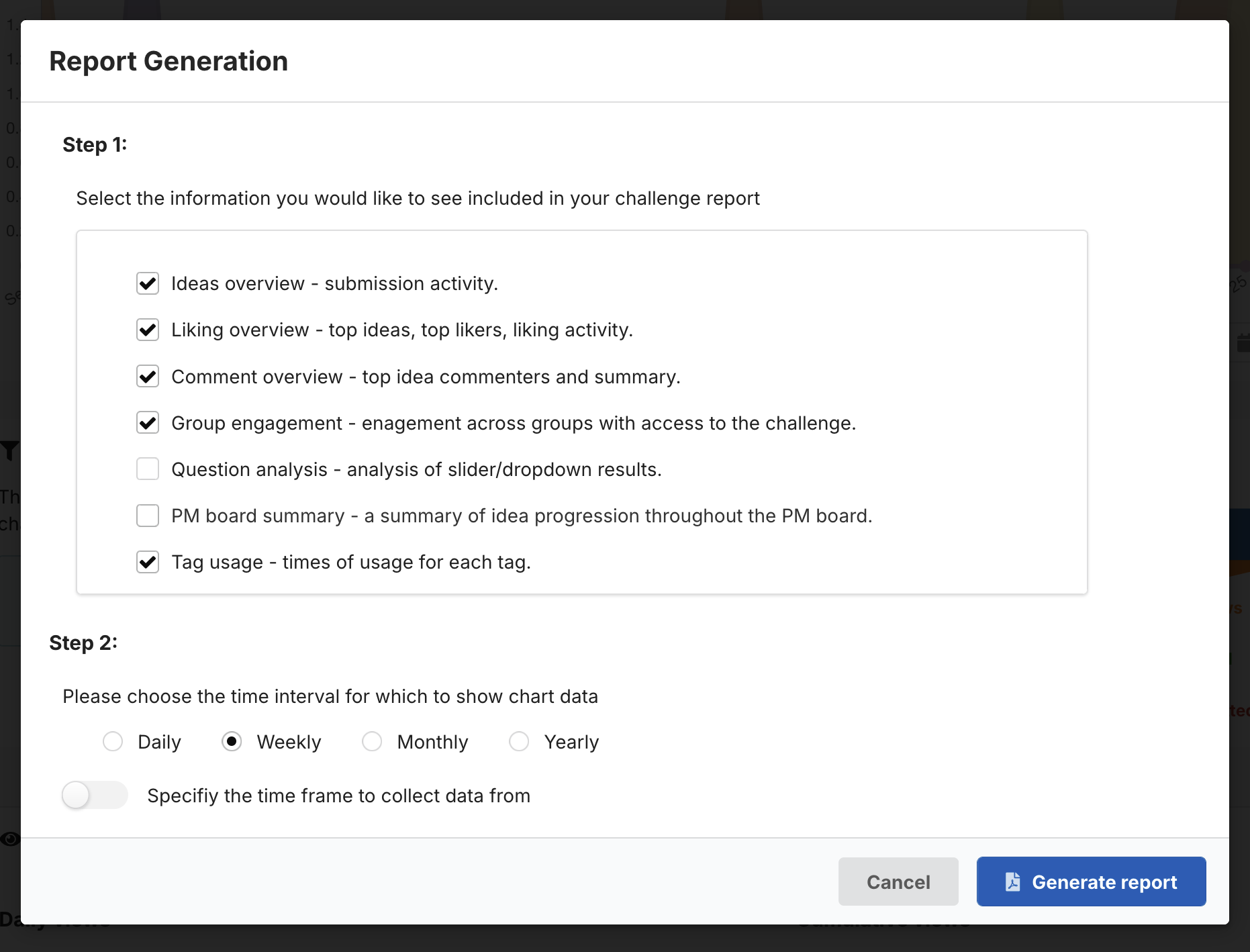
In the report customisation window, first select the contents of your report using the checkboxes. Then, select the time interval used to generate the included charts, and optionally specify a time frame to limit the report data.
The time frame option can be useful if you have “soft launched” a challenge for early testing, and wish to exclude that data from the generated report.
Click Generate report to finish, and the report will generate and then become available in your Downloads area.
Assessment reports
If your challenge has included assessment, you can generate and export an Excel file containing detailed information about your challenge assessment and its results.
The generated file is split into a number of tabs that focus on different areas of the assessment, such as assessor scores and notes.
To create such a report, tap the Export assessment report button.
Export ideas
The Export ideas button generates an Excel file containing all of the ideas in your challenge. The export contains a number of columns representing data about the idea (such as its name, creation data, submission date, etc.) in addition to the contents of the ideas themselves.