In this guide, we explain our recommended steps for setting up automatic announcements for your open call. Before we launch any Open Call it is important that we set up an automated announcement to thank the user for their submission and let them know the next steps.
For the purposes of this guide, an open call can also be referred to as an opportunity or a challenge.
Overview
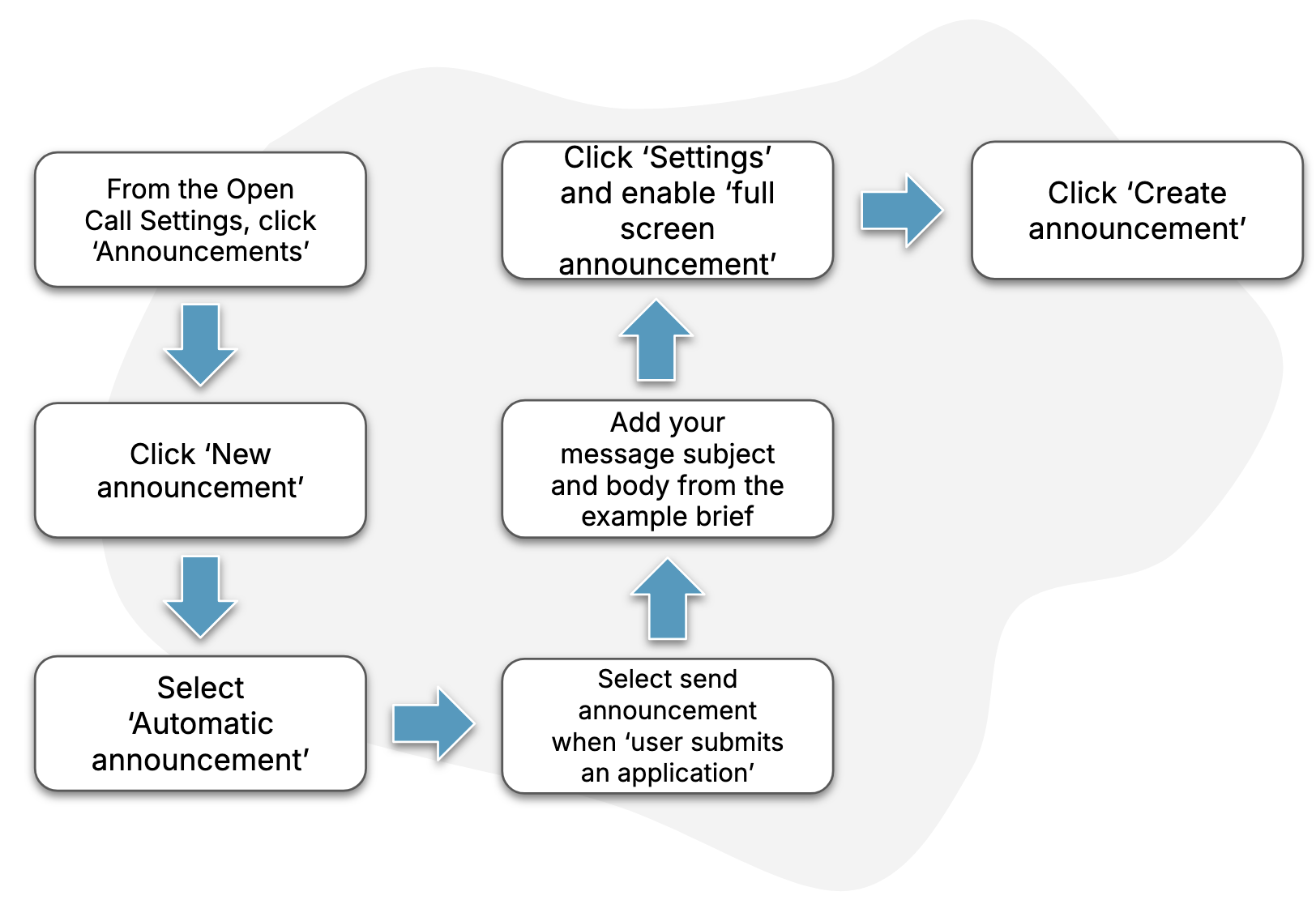
The diagram below describes the key steps in the process.
Guide
1. Find the announcements settings page
Follow the steps in this How-To to find the page for your open call’s announcements.
2. Create an automatic announcement
Follow the steps in this How-To in order to set up an automatic announcement that gets triggered when a “user submits an application”.
Be sure to enable “Full screen announcement” in the announcement’s settings.
3. Finish
Click “Create announcement” to finish the process, once you’re done making your changes.