In this guide, we explain how to send out an announcement for a challenge. For example, to warn about an approaching deadline or to let applicants know about an informational webinar. As we approach the deadline for the open call, you might want to send or schedule emails to be sent to applicants with draft submissions.
For the purposes of this guide, an open call can also be referred to as an opportunity or a challenge. An application can also be referred to as an idea.
Overview
The diagram below describes the key steps in the process.
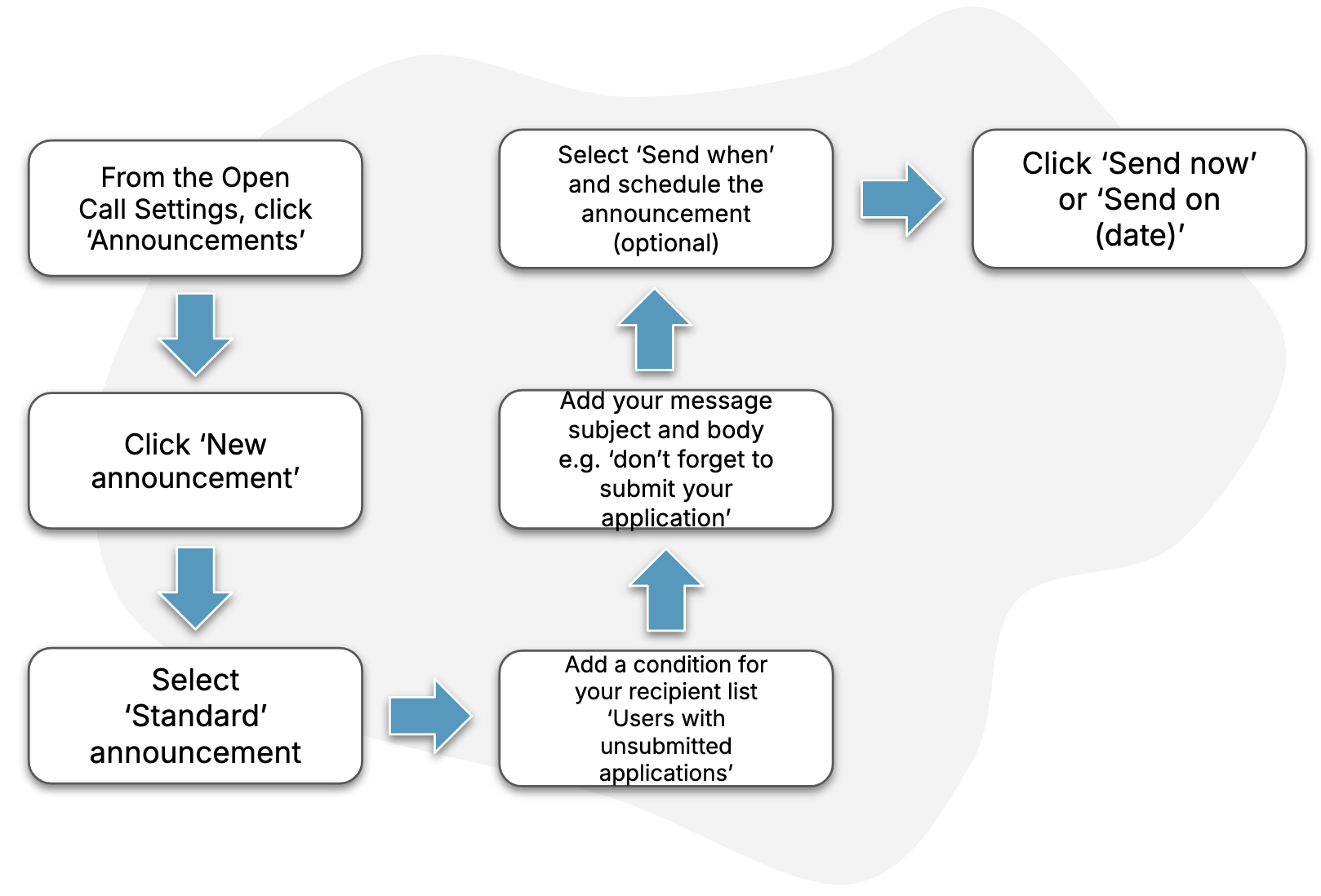
Guide
1. Find the open call “announcements” page
Follow the steps in this How-To to find the page for your open call’s announcements.
2. Create a “standard announcement”
Follow the steps in this How-To to create a standard announcement. If you want to send this announcement at a later date, see this section of the How-To.