In this guide, we explain how to set a deadline only for a specific application (or multiple applications), which supersedes the open call deadline. Sometimes, applicants miss a deadline or request more time to complete their submission.
For the purposes of this guide, an open call can also be referred to as an opportunity or a challenge. An application can also be referred to as an idea.
Overview
The diagram below describes the key steps in the process.
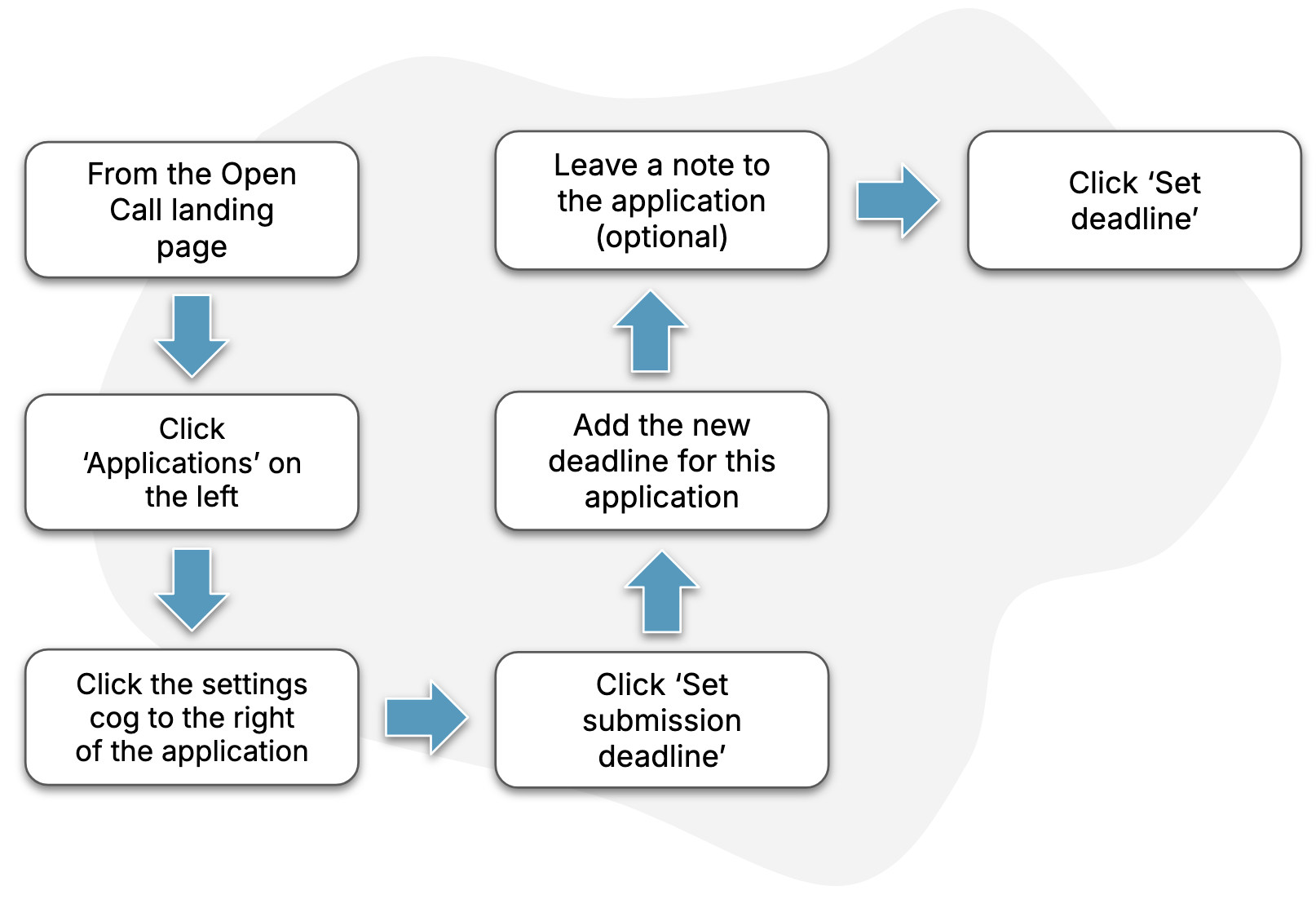
Guide
1. Find the open call “applications” page
Follow the steps in this How-To to find the page for your open call’s applications.
2. Open the custom deadline window
Following these steps, select the option to “Set submission deadline”.
3. Add a note for the deadline
We recommend writing a short note that explains why the deadline is being changed for this application. The note will be sent to the applicant via email.
4. Finish
Click “Set deadline” to complete the change.