In this guide, we explain our recommended steps for setting-up an externally-facing challenge. You already have the content which is due to go on your marketing site. You now need to create an open call on SimplyDo and add the key information for the call on the landing page.
For the purposes of this guide, an open call can also be referred to as an opportunity or a challenge.
Overview
The diagram below describes the key steps in the process.
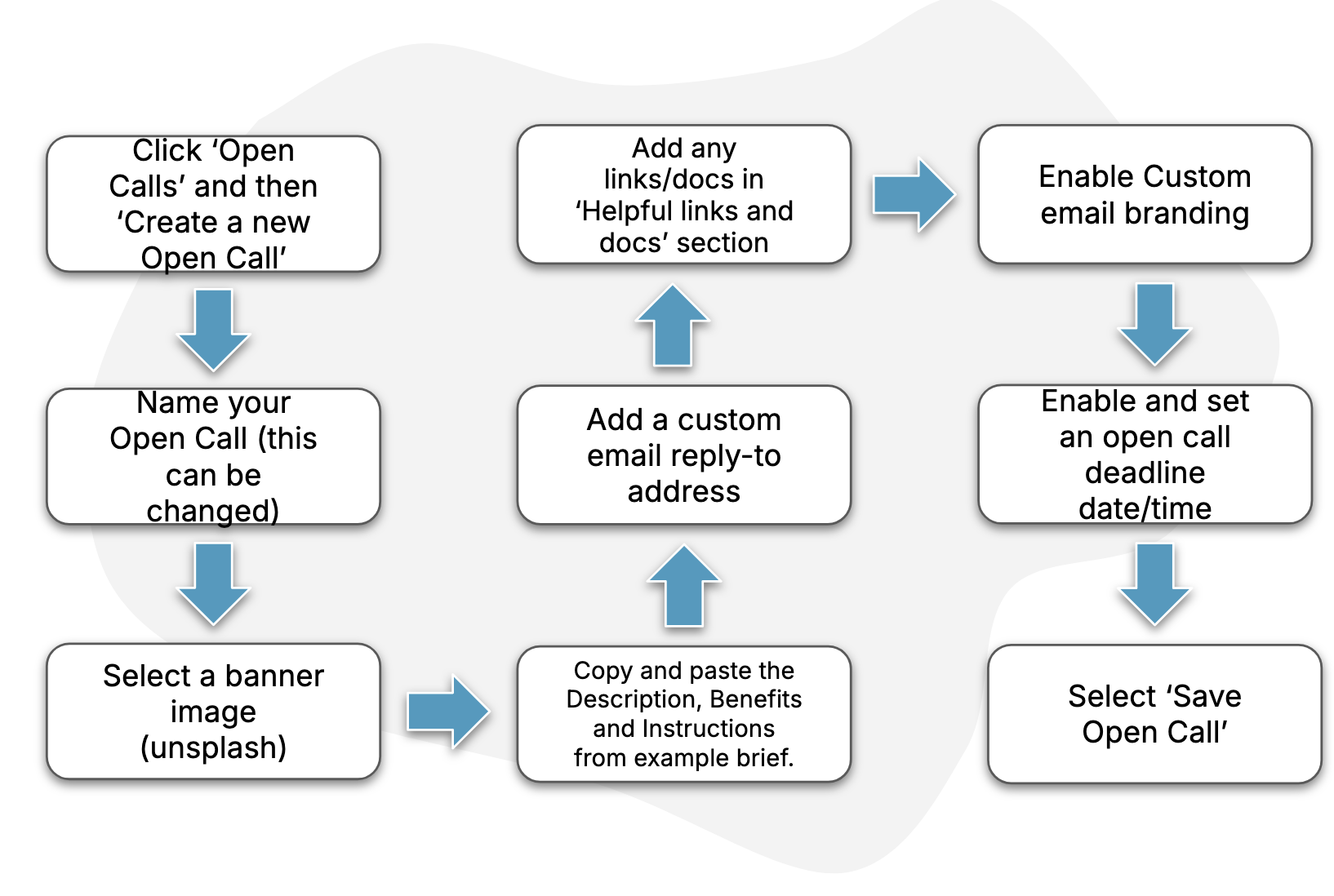
Guide
1. Create the open call
Follow the steps in this How-To to create and name your open call.
If you cannot see a button to create a new open call using the instructions in the How-To, please reach out to your account manager for support.
2. Set a banner image
Use this How-To to find the settings page for your open call. Here, upload or choose a banner image.
3. Add your content
Using the example brief, copy-and-paste your content into the relevant fields on the settings page. More information on how to do this can be found in this How-To.
4. Set a custom reply-to address
On the open call settings page, add an email address for yourself or your team to the “Custom email reply-to address” field. This ensures you receive any email replies sent on behalf of your open call.
5. Add helpful links and documents
On the open call settings page, insert any links and upload documents that applicants may find useful.
6. Enable email branding
On the open call settings page, enable the toggle “Custom email branding”. This ensures that emails sent on behalf of your open call are decorated with relevant open call branding (such as your banner image).
7. Configure a deadline
Follow these steps to set a deadline date and time for your open call, after which new applications will not be accepted.
8. Save your changes
Use the buttons at the bottom of the open call settings page to preview and save your open call (and see this How-To for more information). You can come back at any time to make further changes.