In this guide, we explain how to track the progress of an application. While the Open Call is in progress, how do I review the activity and check the progress of current applications?
For the purposes of this guide, an open call can also be referred to as an opportunity or a challenge. An application can also be referred to as an idea.
Overview
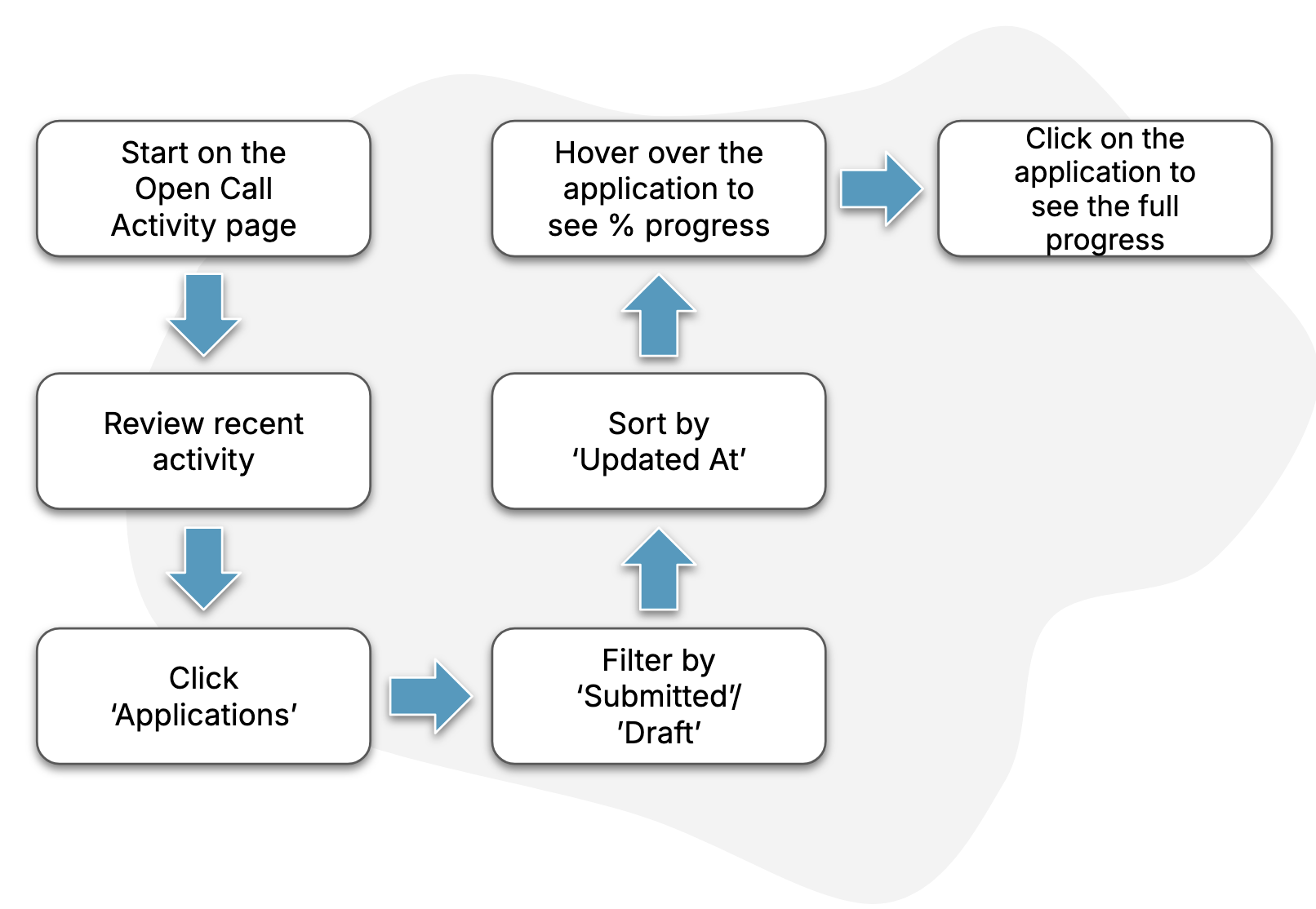
The diagram below describes the key steps in the process.
Guide
1. Find the open call “activity” view
Follow the steps in this How-To to find the page for your open call’s activity. On this page, you can review the information as described in the How-To.
2. Find the “applications” page
Using the steps in this How-To, find the page containing the current applications to your open call.
3. Filter & sort the applications
When on the applications page, you can use the filters (as described in this How-To) in order to more easily find applications of interest. For now, select “Submitted” or “Draft” to see either submitted applications or ones that are still un-submitted. Also use the same popout to sort applications by “updated at”, in order to see the most recently-changed ones at the top.
4. View completion progress
On any un-submitted applications, you can hover over the application in order to understand how far through the applicant is through the application form for your open call.
5. Open an application
Tap an application in order to open it for viewing. This How-To has more tips around finding and opening ideas.